
Why AI feels disappointing for most people
Who this is for
This article is for garden centre and nursery owners, general managers, and senior decision makers who have tried AI once or twice and come away underwhelmed. You may have asked ChatGPT, Gemini, or Claude to write something, then thought the result felt flat, obvious, or oddly generic. That early disappointment is common. In most cases, it does not mean AI is useless. It means the starting point needs adjusting.
Key Takeaways
AI often feels disappointing when the prompt is too vague and the task is too broad.
Tools like ChatGPT, Gemini, and Claude work better when you give them a role, useful context, and a clear job to do.
You do not need lots of tools to get started. Pick one and practise on low risk tasks first.
In a garden centre, AI is usually most useful for first drafts, summaries, and wording improvements, not final decisions.
A small change in how you ask can turn a bland answer into something genuinely useful.
What AI is actually doing when it answers
Generative AI is the name for tools that create new content, such as text, images, summaries, or drafts, based on the instructions they are given. Tools like ChatGPT, Gemini, and Claude all sit in this category. Generative AI does not know things in the human sense. It does not understand your business in the way a colleague does, and it does not automatically know what you meant but forgot to say. Instead, it works by spotting patterns in language and predicting what should come next based on the prompt, the context, and the material it has been given.
That is why it can sometimes feel clever and disappointing at the same time. When the clues are strong, the answer can feel surprisingly useful. When the clues are thin, the answer can sound broad, generic, or oddly off the mark.
A practical way to think about it is this. AI is not a magic machine. It is a language prediction system that can also help organise, rewrite, and structure information.
A simple way to think about tokens and pattern completion
When you type into an AI tool, it does not read the sentence in quite the same way a person would. It breaks the text into smaller chunks, often called tokens. Those chunks might be whole words, parts of words, or bits of punctuation.
The tool then looks at the pattern created by those tokens and works out what is most likely to come next. It does this very quickly, one step after another, until it has produced a full reply.
That may sound technical, but the practical point is straightforward. AI is completing patterns based on probability. In other words, it is making a very advanced guess about the next useful piece of language.
This helps explain why vague prompts often lead to vague output. If the system is trying to complete a pattern, and the pattern you gave it is thin or unclear, the answer will usually drift towards safe, average language.
Retrieval, prediction, and reasoning are not the same thing
It also helps to separate three ideas that people often lump together.
Retrieval is when a system finds information from a source, such as a website, a document, or a knowledge base.
Prediction is when the model generates likely next words based on patterns.
Reasoning is when the tool appears to work through a problem in steps, compare options, or organise an answer more carefully.
These can overlap in one conversation, but they are not the same job.
If you ask an AI tool for your opening hours and it pulls them from a trusted source, that is closer to retrieval. If you ask it to draft a spring newsletter paragraph, that is mainly prediction. If you ask it to compare three ways to promote a half term event and explain the pros and cons, that starts to look more like reasoning.
For everyday users, the key point is that a polished answer is not always a retrieved fact. Quite often, it is generated wording. That is useful, but it needs the right prompt and sometimes a human check.
Why AI can sound confident even when it is wrong
One reason AI unsettles people is that it can sound sure of itself even when the answer is weak, incomplete, or simply wrong. That happens because fluent language and factual accuracy are not the same thing.
If the model has produced an answer that sounds smooth and plausible, it may present it with the same confidence as something more reliable. This is another reason not to treat AI as an autopilot, especially for facts, figures, dates, policies, pricing, or anything sensitive.
In a garden centre setting, that could mean checking plant details, event times, delivery information, or promotional wording before it goes live. AI can speed up the drafting process, but it should not be the final judge of accuracy.
Once you understand that AI is predicting language rather than reading minds, the prompt issue starts to make much more sense.
Why vague prompts lead to vague results
When people first try AI, it is easy to assume the tool will fill in more of the gaps than it actually can. They type a quick instruction such as “write a Facebook post about compost” or “help with our product descriptions” and hope the tool will somehow know the tone, audience, season, and purpose.
Then the result arrives. It sounds polished enough, but also vague. It could belong to almost any business. It misses the detail that matters. It may even use wording that sounds too broad for your part of the industry, or too technical and formal for general customers shopping for plants, compost, pots, or gifts.
That is the moment many people decide AI is overhyped.
The real problem is usually simpler than that. AI tools are strong at predicting likely language based on the clues you give them. They are weak at guessing the missing detail in your head. So when the instruction is broad, the answer is broad. When the prompt is generic, the result is generic.
That is why AI can feel disappointing for most people at first. They start with thin instructions and expect rich output.
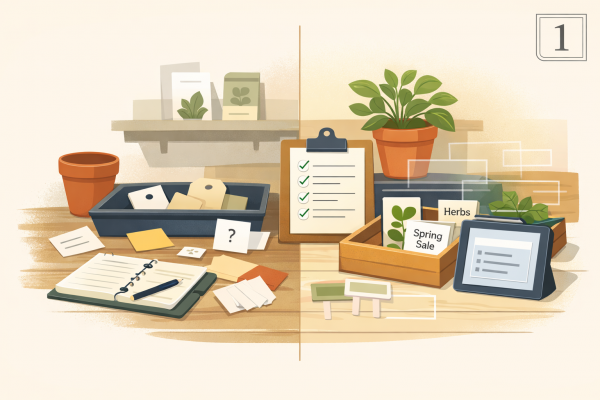
A better way to think about AI is this. It is a drafting and organising assistant that responds to direction. It needs steering. The clearer the steer, the better the result.
For beginners, the easiest structure is:
tell it who it is helping as
give it the context it needs
tell it exactly what you want back
You do not need technical language. You just need to be clearer.
What this looks like in practice
For example, compare these two prompts.
Vague prompt: Write a social media post about bedding plants.
Possible response: Refresh your garden with our beautiful bedding plants. We have a wide range of colourful options to brighten up your outdoor space. Visit us today and find the perfect plants for your garden.
That response is not terrible, but it is bland. It could come from almost any retailer, and it does not sound especially local, seasonal, or distinctive.
Clearer prompt: You are helping a busy UK garden centre create a friendly Facebook post. We want to promote our spring bedding plants to local customers who are starting to refresh pots and borders. Keep the tone warm and practical. Mention that stock changes regularly and invite people to visit this weekend. Write 3 options, each under 80 words.
Possible response option 1: Our spring bedding plants are looking lovely this week, with plenty of colour for pots, borders, and containers. If you are planning a weekend garden tidy-up, pop in and have a look. Stock changes regularly, so there is always something new to catch your eye.
Possible response option 2: Thinking of brightening up your pots and borders this weekend? Our spring bedding plants are now arriving in fresh colours, with lots to choose from in store. Pop in for a browse and see what is looking its best, as stock changes regularly.
Possible response option 3: If your garden could do with a fresh splash of colour, our spring bedding plants are well worth a look this weekend. We have a lovely mix for pots, planters, and borders, with new stock arriving regularly. Come in and see what would work best in your space.
These three options are much better because they feel more specific, more seasonal, and more natural for a real garden centre audience. They mention practical uses such as pots, borders, containers, and weekend garden jobs, which makes the wording feel more relevant to everyday customers. They also sound warmer and more local, rather than reading like generic retail copy. Just as importantly, the clearer prompt gave the tool enough direction to produce a choice of usable drafts, which means you can now edit, combine, or fine tune them instead of starting from scratch.
This matters because most people do not need AI to do something magical. They need it to help with routine work, save a bit of time, and reduce the blank page problem.
Where it helps in a garden centre
AI is often most useful when you start with a small, low risk job and give it enough context to be helpful. That usually means work where you already know what a good answer looks like, and where a member of the team can quickly sense check the wording before it is used. In a garden centre, that could be customer facing copy, routine messages, or internal summaries that need tidying rather than deep decision making. Here are a few examples that fit everyday garden centre work.
Turning rough notes into customer friendly wording
This is often one of the easiest ways to get value from AI. Many teams already have the raw information, but they do not have the time to turn it into neat, customer friendly wording. AI can help bridge that gap by taking rough notes and shaping them into a first draft that is easier to work with.
For example, you might have a few bullet points about a new line of glazed planters, such as frost resistant, suitable for patios, available in three sizes, and part of a matching range. AI can turn that into a short website description or a cleaner bit of point of sale wording. The result still needs checking, especially to make sure it is accurate and sounds like your business, but it can remove the effort of starting from a blank page.
Improving seasonal marketing copy
Seasonal marketing is another good fit because the task is familiar, time sensitive, and usually low risk if someone reviews the final wording. AI can help you move from a rough idea to a usable draft far more quickly, which is useful during busy periods when the team has lots competing for attention.
For instance, you may want a short piece of copy for a late autumn email about spring flowering bulbs arriving in store. You know the stock is in, you know customers need a gentle prompt, and you know the message should feel timely without sounding pushy. AI can give you several versions in slightly different tones, perhaps one more practical, one more inviting, and one more focused on seasonal colour. That gives you something to react to and improve, rather than writing the whole thing from scratch.
Reworking repetitive customer messages
Many garden centres send or repeat the same kind of messages every week. Over time, these replies can become inconsistent, too wordy, or rushed depending on who answers them. AI can help you create cleaner base versions that staff can then adapt when needed.
A good example would be a regular question about local delivery for larger items such as compost bulk bags or heavier outdoor furniture. Instead of typing a fresh reply every time, you could ask AI to help draft a short template that explains your delivery area, likely timings, and what the customer should do next. The message can then be checked, adjusted to match your actual process, and saved as a starting point for future replies.
Summarising internal notes
AI can also be useful behind the scenes when information needs tidying up before it is shared with the team. This is especially helpful when notes are messy, repetitive, or written in a rush, but the final summary needs to be clear and structured.
After a meeting about reorganising the houseplant area, you may have a page of handwritten notes covering display changes, watering responsibilities, signage updates, and a few stock concerns. In many cases, you would not even need to type those notes up first. You could take a clear photo and use that with your chosen AI tool, then ask it to turn the handwriting into a short summary with headings and action points. These tools are now often good enough to read everyday handwriting and turn it into something more structured and useful. It is still worth checking the result carefully, especially if any words are unclear in the original notes. This only works well when the material is suitable to use in the tool and someone checks the finished summary before passing it on.
Common pitfalls
Asking for too much in one go. If you ask for a strategy, a campaign, a social post, and product copy all at once, the result will usually be muddled.
Giving no context. AI does not know your customer mix, your tone, your price point, or the season unless you tell it.
Treating the first answer as final. The first draft is often a starting point, not the finished piece.
Using it for high risk decisions. AI should not be making legal, HR, pricing, or plant health decisions for you.
Feeding in sensitive information. Avoid putting personal staff data, private customer details, confidential commercial figures, or anything sensitive into public AI tools.
Jumping between too many platforms. Most beginners get better results by choosing one tool and learning how to guide it properly.
Try this in 10 minutes
Here is a safe, practical task to try this week.
Mini task: improve one everyday piece of wording
Choose one small item from your business, such as:
a product description from your website for compost, pots, or shrubs
a short Facebook post for the weekend
an email reply about opening hours or delivery
a paragraph about your café or seasonal range
Then follow these steps:
Open one AI tool, such as ChatGPT, Gemini, or Claude. It does not matter too much which one you choose to start with. These are all examples of what people often call frontier models, which usually means the most capable general AI systems currently available from the leading labs. In day to day use for a beginner, they are all strong enough to handle this kind of task well, even though each has its own style and strengths.
Paste in your rough text, or write a simple description of what you need.
Use this structure:
Role: “You are helping a UK garden centre write clear customer friendly copy.”
Context: “Our tone is warm, practical, and local. The audience is everyday gardeners. The subject is [your topic].”
Task: “Write 3 improved versions under [word count]. Avoid cheesy language and keep it natural.”
Review the outputs and highlight the parts that sound most like your business.
Edit the best version yourself before using it anywhere public.
The goal is not to get perfect copy in one go. The goal is to see how much better the result becomes when you give the tool a clearer brief.
Saveable tip sheet
Start with one tool, not five.
Use AI for first drafts, summaries, and wording support.
Guide it with a role, enough context, and a clear task.
Mention audience, tone, and length.
Ask for 2 or 3 versions so you can compare.
Keep early experiments low risk.
Never paste in private staff or customer data.
Check facts, dates, prices, and opening details yourself.
If it does not sound like your business, paste in a sample of your usual wording and ask the tool to match that tone using simpler language your customers would expect.
Treat AI as a helper, not the final decision maker.
Template prompt pack
Use these as starting points. Replace the brackets with your own details.
Product description refresh
You are helping a UK garden centre write product copy for [your product range]. Audience: [target customer]. Rewrite this so it sounds clear, practical, and natural, using the kind of language everyday customers would expect. Keep it under [word count] and give 3 options. Here is the current text: [paste text].Weekend social post
You are writing a Facebook post for a local garden centre. We want to promote [seasonal range or event] to [target customer]. Our tone is [your tone]. Mention [key details], keep it under [word count], and write 3 options that feel seasonal and local rather than generic.Customer email reply
You are helping a UK garden centre reply to a customer asking about [delivery / click and collect / opening hours / café query]. Use a warm, clear UK tone. Keep it concise, include these details [paste details], and draft a reply that sounds helpful without sounding too formal.In store sign wording
You are writing short in store signage for a UK garden centre. Create 5 sign ideas for [product / department / offer]. Audience: [customer type]. Tone: [your tone]. Keep each one simple, easy to scan, and suitable for customers reading it quickly.Meeting summary
Turn these notes into a clear summary for the team. Use headings for decisions, actions, and follow up. If anything is unclear, flag it rather than guessing. Do not add information that is not in the notes. Here are the notes: [paste notes or attach photo].Event description
You are writing a short website paragraph for our [event name] at a UK garden centre. Audience: [families / regular customers / local community]. Include [date, time, booking details]. Keep it welcoming, practical, and easy to understand, with no over the top wording.Tone improvement
Here is a draft piece of copy from our garden centre. Rewrite it so it keeps the same meaning but sounds more [friendly / professional / local / clear]. Match the tone of this sample if helpful: [paste sample wording]. Draft text: [paste text].Three better prompt versions
I want help with [task]. Before answering, suggest 3 clearer versions of my prompt. Make each one more specific by improving the role, context, audience, and task, then let me choose one.
What’s next
This first week is about resetting expectations. AI often disappoints when people expect strong results from weak instructions. Once you understand that, the whole subject becomes less mysterious and far more practical. In the next article, we will build on this by looking at how to write better prompts for everyday work, so your results become more consistent, more useful, and more natural sounding.