
The Simple AIM Prompt Framework for Better AI Results
Who this is for
This article is for garden centre and nursery owners, general managers, and senior decision makers who have now read the first two articles and want a prompt structure they can use again and again. Week 1 explained why AI can feel disappointing when it has to guess too much. Week 2 introduced AIM as a simple way to build better prompts. However, do not worry if you have not read that article, because this week covers the framework in full. It gives you a dependable structure you can use every day, then shows you what to do when the first draft still needs work.
Key Takeaways
AIM gives you a simple prompt structure you can reuse for everyday AI tasks.
Actor shapes the role or perspective, Input gives the facts and context, and Mission sets the task and expected output.
In many cases, stronger Input makes the biggest difference.
A weak first draft does not mean the prompt failed. It often means the AI needs one more steer.
You can use AIM for supplier emails, customer replies, meeting summaries, and simple reports.
How AIM works in everyday use
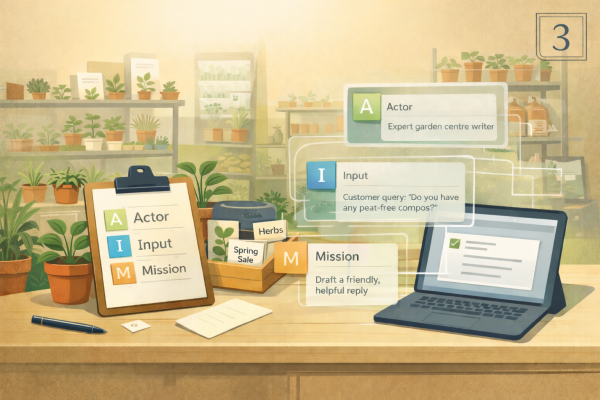
AIM stands for Actor, Input, Mission.
It is not a technical trick. It is a practical way to make your instructions clearer.
By this point in the series, you already know that AI works better when it does not have to guess what you meant. AIM helps reduce that guesswork. It gives the tool a clearer role, better source material, and a more exact job to do.
That matters because most people do not use AI for one huge dramatic task. They use it for everyday jobs that still take time, such as rewriting an email, summarising notes, drafting a customer reply, or organising rough thoughts into something clearer.
AIM is useful because it gives you one repeatable structure for all of those tasks.
Actor tells the AI who it should act as
Input gives it the facts, source material, audience, and limits
Mission tells it what to produce
Once you get used to thinking this way, prompting becomes much easier. You stop staring at a blank box and start giving the tool a proper brief.
Why AIM works better than a one-line request
A quick prompt can work for very simple jobs. However, once the wording matters, the audience matters, or the details matter, a one-line request often leaves too much to chance.
Take this example.
Weak prompt: Improve my email to my supplier.
That sounds reasonable. Many people would write exactly that. The problem is that the tool still has to guess several important things. What kind of supplier is this. What is the issue. Should the tone be firm, polite, warm, or direct. Do you want the email shorter, clearer, more professional, or more persuasive.
Now compare it with this:
AIM prompt: You are helping a UK garden centre manager write a clear and professional email to a supplier. The issue is that a delivery of outdoor pots arrived two days late and several boxes were damaged. I want to stay polite because we use this supplier regularly, but I also want to be clear about the problem and ask what they will do next. Rewrite my draft email so it sounds calm, practical, and firm. Keep it under 180 words. Here is my draft: [paste email].
This version gives the AI a role, the relevant facts, the relationship context, the tone, and the task. That makes it much easier for the tool to produce something useful.
What Actor really changes
Actor is not about pretending the AI is something magical. It is about setting the right working perspective.
If you ask AI to write without giving it a role, it often reaches for generic wording. If you tell it the kind of helper you want, the response usually becomes more relevant.
That role can be simple.
a garden centre customer service assistant
a clear and practical email writer
a meeting note organiser
a manager helping turn rough notes into actions
a marketing assistant writing for everyday gardeners
The role affects more than tone. It also affects judgement, focus, and language choice.
For instance, asking the tool to act as a customer service assistant is likely to produce more customer-friendly wording than asking it to simply “reply to this message”. Asking it to act as a meeting note organiser is more likely to produce structure and action points than asking it to “sort these notes out”.
Actor does not need to be fancy. It just needs to be relevant.
What Input really changes
Input is often the part that makes the biggest difference.
It covers everything the AI needs in order to do the job properly. That could include a rough draft, meeting notes, supplier details, customer type, tone of voice, business context, opening hours, a product list, or a photo of handwritten notes.
The more important the details are, the more important Input becomes.
Take a customer email reply. If you only say “reply to this customer”, the tool has to guess the issue, the tone, and the answer. If you include the customer’s message, the details you want included, the tone you prefer, and anything that must be avoided, the result is usually far stronger.
Input is also where you can add useful limits.
You might say:
keep it under 120 words
use plain English
avoid sounding too formal
do not invent details that are not in the notes
write for beginners rather than experienced gardeners
These details help the tool stay on track.
If week 2 showed that prompting is a skill, week 3 shows that Input is often where that skill really pays off.
What Mission really changes
Mission is the exact job you want the AI to do.
This is where you tell it what the output should be. Rewrite, summarise, compare, tidy, suggest, organise, simplify, draft, or brainstorm are all different tasks.
Mission also includes the shape of the answer.
Do you want:
one polished version
three options to choose from
a bullet point summary
a list of actions
a short report with headings
a customer reply under a certain word count
If the Mission is weak, the output often feels loose. If the Mission is clear, the answer becomes easier to use.
A good Mission also tells the tool what success looks like.
For example, “make this better” is vague. “Rewrite this in a warmer tone for a customer who is new to gardening, keep it under 90 words, and give me two options” is much easier for AI to follow.
AIM examples for everyday use
The best way to see AIM working is to use it on jobs that feel real.
Writing an email to a supplier
Weak prompt: Improve my email to my supplier.
AIM prompt: You are helping a UK garden centre manager write a professional supplier email. We are contacting a supplier about a delayed delivery of compost that arrived after our advertised promotion had started. We want to keep the relationship positive, but we need to explain the problem clearly and ask what support they can offer. Rewrite my draft so it sounds calm, clear, and firm. Keep it under 160 words. Draft: [paste draft].
Why it works better: the AI knows the relationship, the issue, the tone, and the outcome needed.
Turning supplier notes into a clear summary
Weak prompt: Sort out these supplier notes.
AIM prompt: You are helping a garden centre manager organise notes from a supplier meeting. Turn these notes into three sections: key updates, actions for our team, and questions to follow up. Keep the wording plain and do not add anything that is not in the notes. Notes: [paste notes or attach photo].
Why it works better: the structure is clear, the purpose is clear, and the tool is told not to guess.
Drafting a customer email reply
Weak prompt: Reply to this customer.
AIM prompt: You are helping a UK garden centre reply to a customer who wants to change their booking for a wreath-making workshop. Use a warm and helpful tone. Include these details: [paste details]. Keep the reply concise, avoid sounding stiff, and write two versions.
Why it works better: the audience, tone, topic, and expected output are all clear.
Turning meeting notes into actions
Weak prompt: Summarise this meeting.
AIM prompt: You are helping a garden centre manager turn staff meeting notes into a clear action list. Use headings for decisions made, actions agreed, and items that still need confirming. Keep the wording short and practical. Do not add new information. Notes: [paste notes or attach photo].
Why it works better: it tells the tool exactly how to organise the information and what not to do.
Drafting a short management update
Weak prompt: Write a report from these notes.
AIM prompt: You are helping prepare a short weekly update for senior management at a garden centre. Use these notes to draft a concise report with headings for sales highlights, stock issues, staffing points, and actions for next week. Keep it clear, professional, and easy to scan. Notes: [paste notes].
Why it works better: the audience, structure, and purpose are built into the prompt.
When AIM is enough, and when you need more context
AIM is enough for many everyday jobs, especially when the task is clear and the material is simple.
It works well for:
rewriting short emails
drafting quick customer replies
summarising straightforward notes
creating first drafts from clear source material
organising rough information into a cleaner format
Sometimes, though, AIM on its own is not enough.
You may need more context when:
the subject is sensitive or complicated
the tone really matters
the task depends on your own business process
the first draft sounds too generic
important facts must be exact
In those cases, the answer is usually not to abandon AI. It is to feed it better source material.
That might mean adding:
a sample of your usual wording
the exact customer message
a screenshot or photo of the notes
a short explanation of the situation
the key facts that must be included
anything it must avoid or flag rather than guess
What to do when the first draft still is not right
This is the part many people miss.
A weak first draft does not always mean the tool failed. Often, it means you now need to refine the output.
That is useful, because by the time the first draft comes back, you usually know much more clearly what is wrong with it.
It might sound too stiff. Maybe it missed an important detail. It could be too long. Maybe it sounds like generic retail copy instead of your business.
This is where follow-up prompts become valuable.
Here are a few simple follow-up instructions that work well:
rewrite this in a warmer, more natural tone
keep the same meaning, but make it simpler for everyday customers
shorten this to under 80 words
turn this into bullet points with clear action items
ask me what is missing before you rewrite it
highlight any assumptions you made
keep the wording practical and avoid generic phrases
give me two sharper versions and explain the difference
This matters because good prompting is not just about writing the first prompt well. It is also about improving the answer once you can see what needs changing.
Where it helps in a garden centre
AIM is useful because it fits the kind of work garden centres already do.
Supplier communication
Supplier emails often need the right balance of clarity and relationship management. AIM helps you explain the issue, keep the tone right, and shape the message before it goes out.
Customer messages
Customer replies work better when the audience, tone, and key facts are built into the prompt. This is especially useful for booking changes, delivery questions, or follow-up messages after an event.
Team communication
AI can help turn rough notes into something the team can use. AIM makes it easier to get clear action points rather than a vague summary.
Weekly reporting
A short update for management or owners becomes easier to draft when the audience, structure, and source notes are all clear from the start.
Try this in 10 minutes
This week, take a real task from your day and run it through AIM.
Mini task: use AIM, then improve the first draft
Choose one of these:
a supplier email
a customer reply
a short management update
meeting notes that need actions
Then follow these steps:
Write the quick prompt you would normally use.
Rewrite it using AIM.
Actor: who is the AI helping as
Input: what notes, facts, audience, and limits does it need
Mission: what exactly should it produce
Run the AIM version.
Read the result and decide what still needs work.
Send one follow-up prompt to improve it.
make it warmer
shorten it
restructure it
ask what is missing
Save both the AIM prompt and the follow-up prompt so you can reuse them later.
The habit you are building is simple. Give the tool a clearer brief, then refine the result instead of stopping at draft one.
Saveable tip sheet
Start with AIM: Actor, Input, Mission.
Keep Actor relevant, not dramatic.
Give the tool the source material it actually needs.
Be clear about audience, tone, and limits.
Tell it what shape the answer should take.
Use AIM for the first draft.
Use a follow-up prompt to improve the draft.
Ask it to flag missing information rather than guess.
Save prompts that work well.
Reuse the structure, not just the exact wording.
Template prompt pack
Reusable AIM template
You are helping as [Actor]. Use this input: [Input]. Your task is to [Mission]. Keep the result [tone / length / format / limits].Supplier email rewrite
You are helping a UK garden centre manager write a supplier email. Use this context: [issue and relationship details]. Rewrite this draft so it sounds [tone]. Keep it under [word count]. Draft: [paste draft].Supplier notes to summary
You are helping organise notes from a supplier meeting. Use these notes: [paste notes or attach photo]. Turn them into headings for key updates, actions, and follow-up questions. Keep the wording clear and do not add anything not in the notes.Customer booking reply
You are helping a UK garden centre reply to a customer about [booking issue]. Use a [tone] tone. Include these details: [paste details]. Write [number] versions and keep each one under [word count].Meeting notes to actions
You are helping turn staff meeting notes into a practical action list. Use these notes: [paste notes or attach photo]. Organise the answer into decisions made, actions agreed, and items to confirm. Keep it short and clear.Weekly management update
You are helping draft a short weekly update for [audience]. Use these notes: [paste notes]. Structure it under [headings]. Keep it concise, professional, and easy to scan.Improve the first draft
Here is the draft you wrote: [paste draft]. Keep the meaning, but rewrite it so it sounds [warmer / clearer / less formal / more practical]. If anything important is missing, ask me before rewriting.Check for missing context
Before you answer, ask me up to 4 short questions to clarify the role, context, audience, and task. Then write the best AIM prompt for me to use.
What’s next
Week 2 showed that prompting is a skill. This week gives you a structure you can rely on. Once AIM becomes a habit, AI starts to feel less hit and miss because you are giving it a better brief and a better second steer when needed. In the next article, we will look at why learning one AI tool properly is often more useful than chasing dozens of new ones, and how choosing a home base tool can help you build confidence much faster.